What is cloud rendering and how does it work?
Cloud rendering is a type of rendering process that uses remote servers to render graphics. The advantage of cloud rendering is that it frees up the resources of your local computer and can provide a faster rendering experience. Cloud rendering works by sending your scene data to the remote server, which then renders the scene and sends the final image back to you. The downside of cloud rendering is that it can be more expensive than traditional rendering, since you pay for the use of the remote server. However, for complex scenes or for those who need the extra speed, cloud rendering can be a great option.
The benefits of cloud rendering for 3D artists
For 3D artists, choosing the right rendering solution can be the difference between success and failure. On-premises rendering solutions are often expensive and require a lot of maintenance, while cloud-based solutions tend to be more affordable and easier to use. Cloud rendering also offers other advantages, such as scalability and flexibility. With on-premises solutions, you are limited by the amount of hardware you have on hand. If you need to render a large scene or a complex animation, you may have to invest in additional hardware, which can be expensive. With cloud rendering, you can simply scale up your subscription to meet your needs. Cloud rendering also lets you access your renders from anywhere in the world. Whether you're at home or traveling, you can easily check the status of your renders and make any changes you need. As more and more 3D artists adopt cloud rendering, the benefits will become even more evident.
How to set up your own cloud render farm
Setting up your own render farm can be a good way to speed up the rendering process, or simply to offload some of the heavy lifting to a remote server. However, the process can be complex and costly. One way to simplify things is to set up your render farm in the cloud. This approach has several advantages. First, it removes the need to buy and maintain expensive hardware. Second, it lets you scale up or down as needed, without incurring additional costs. Finally, it gives you the flexibility to render remotely, without having to be on site. If you're interested in exploring this option, there are a few things you need to do. First, you'll need to get in touch through the contact form on the home page. Second, you'll need to configure the network and security settings. Finally, you'll need to install and configure the rendering software. With a little effort, you can have your own render farm up and running in no time.
Tips for optimizing your renders for the cloud
By moving your renders to the cloud, you can take advantage of the processing power and storage capacity of remote servers. However, there are a few things to keep in mind when optimizing your renders for the cloud.
First, consider the format of your renders. Cloud rendering services usually support a variety of file formats, but some formats are more efficient than others. For example, the JPEG2000 format is designed for compression and streaming, which makes it ideal for cloud rendering.
Second, pay attention to file size. When working with large files, it's important to keep an eye on bandwidth usage. By optimizing the size of your files, you can minimize your bandwidth needs and improve the performance of your rendering.
Finally, consider using a render farm. A render farm is a group of computers that can be used to distribute the rendering process across several machines. This can speed up rendering times and improve overall performance. When working with cloud-based rendering services, a render farm can be a valuable asset.
Examples of projects rendered in 3D using the cloud
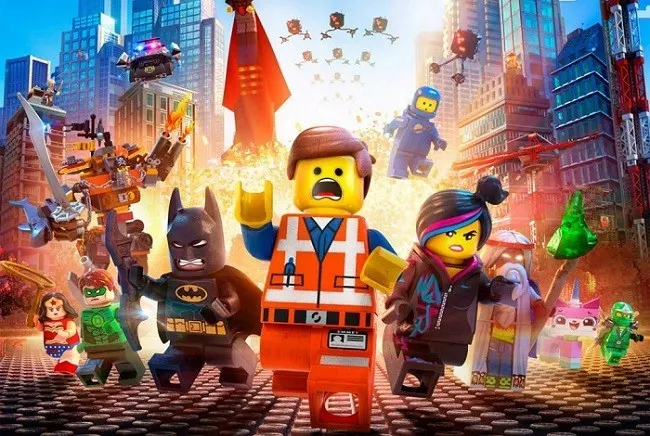
The cloud has become an increasingly popular tool for rendering 3D projects, thanks to its ability to handle large files and complex calculations. One notable example is the animated film "The Lego Movie", which was rendered entirely in the cloud. The team used a custom system that gave them access to thousands of GPUs in parallel, resulting in a faster and more efficient workflow. Another example is the video game "Destiny", which was also rendered in the cloud. Cloud computing allowed the developers to create a richer, more detailed world, with real-time lighting and physics. In both cases, using the cloud allowed for greater creativity and flexibility, leading to higher-quality projects.
Cloud rendering is increasingly popular among 3D artists because of the many advantages it offers. By setting up your own cloud render farm, you can take advantage of these benefits for your own projects. Just make sure you optimize your renders for the cloud and you should see excellent results.
If you need to rent a server with graphics cards in the cloud, visit Cloud2Render, a GPU render farm with thousands of graphics cards and processors on demand. They have a platform specialized for the industry, where you can choose the server you need for your rendering requirements at any given time. They offer a wide variety of servers and flexible plans, with servers available to rent by the day or by the month. Their own data center is located in Barcelona, and you can get technical support 24/7.
If you need a cluster of servers with graphics cards to render a project, Cloud2Render can offer you different custom clusters to suit your needs. Cloud2Render offers VFX server rental with powerful GPUs, designed to maximize your computing power and take your visual projects to the next level.